Nextpage – the missing “Next page” button for AI chat
More sources, more context, better answers
https://about.me/oleggalkin
I recently wondered: why don’t AI chats have a “Next page” button to load a new batch of source materials to generate the answer from? Without such a button, AI answers feel like a small window—just a scratch on the surface. You don’t get depth, perspective, or sources you can select for answer generation.
The answer to this question from a mainstream AI chat was that such a button was present in AI chats when they were tested on the public in their early days, but people didn’t use it, preferring to ask follow-up questions instead.
Really? Was that a sufficient reason to remove the button—or were there other reasons as well? For example: deliberately giving an answer that has “enough” information to support a certain narrative, or hiding competitors and competing narratives? We’ll probably never know for sure.
After some digging, I found out that you can build a wrapper around an LLM—with your own RAG—to enable a “next page” button in your own AI-chat app. But why go through all that hassle if you can just use a desktop app that provides a “next page” button by feeding web search results into a mainstream AI chat?
I did some research and couldn’t find such an app. What I found was a bunch of SERP APIs that could be used for building a custom AI-chat app. I also found browser extensions that come close, but they still required manual copying and pasting from a search results page into a chosen LLM.
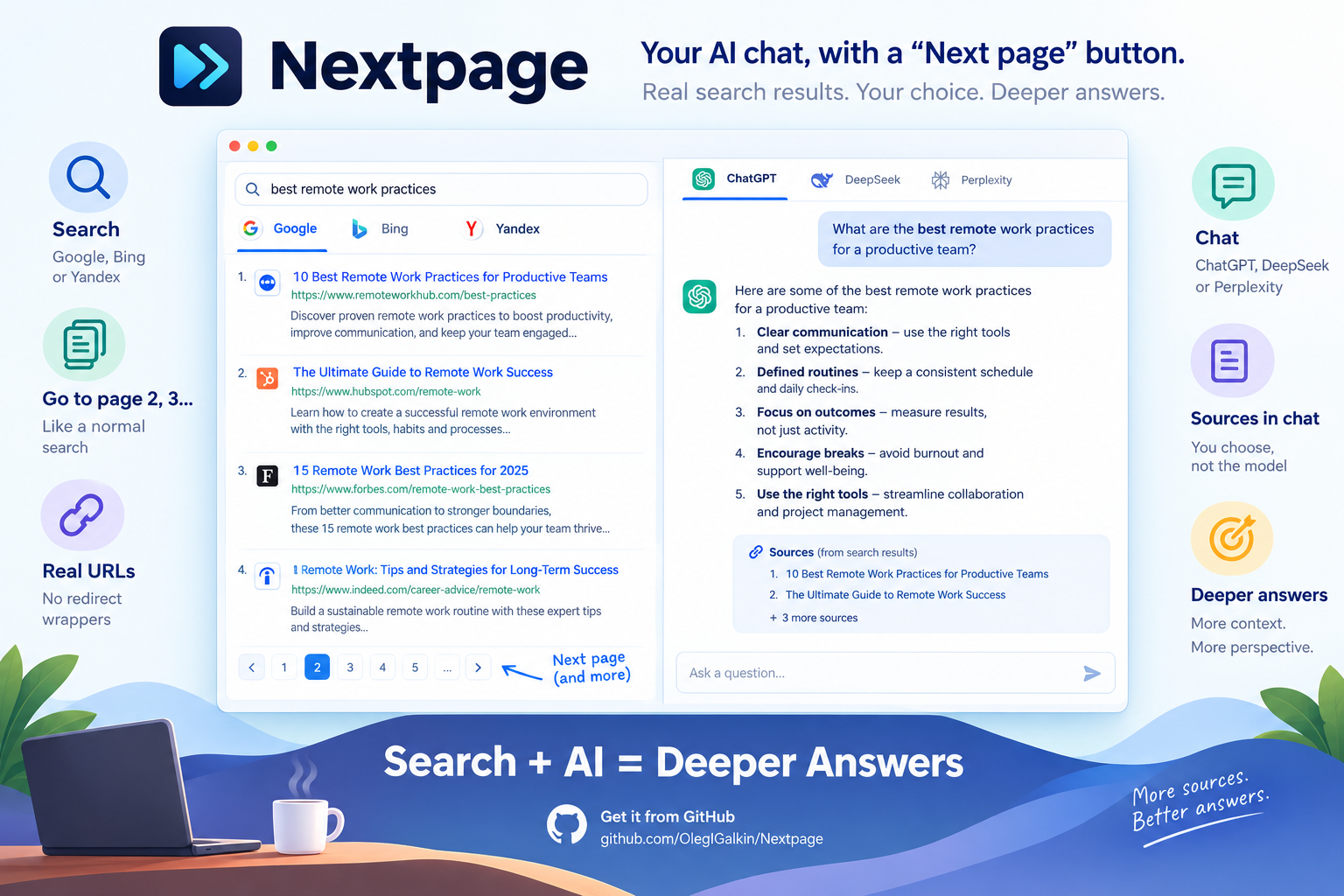
That is why I built Nextpage—a cross-platform desktop app (Electron). Search on one side (Google, Bing, or Yandex). Chat on the other (DeepSeek, ChatGPT, or Perplexity). You search like a normal person, including page 2, page 3, and so on—whatever the search engine provides. Click a result and you stay on the results list. The app resolves the real URL (including the usual redirect wrappers), grabs the title and snippet, and appends them into the chat input as a source block.
This gives you a surrogate “Next page” button for your favorite AI chat. With this app, the model does not pick the sources—you do.
It gives you the best of both worlds: the depth and perspective of a web search, and the reasoning capabilities of an LLM.
Feel free to get it from Github: https://github.com/OlegIGalkin/Nextpage
And let me know what you think about the problem of the missing “Next page” button in AI chats.


